How to Share a Document
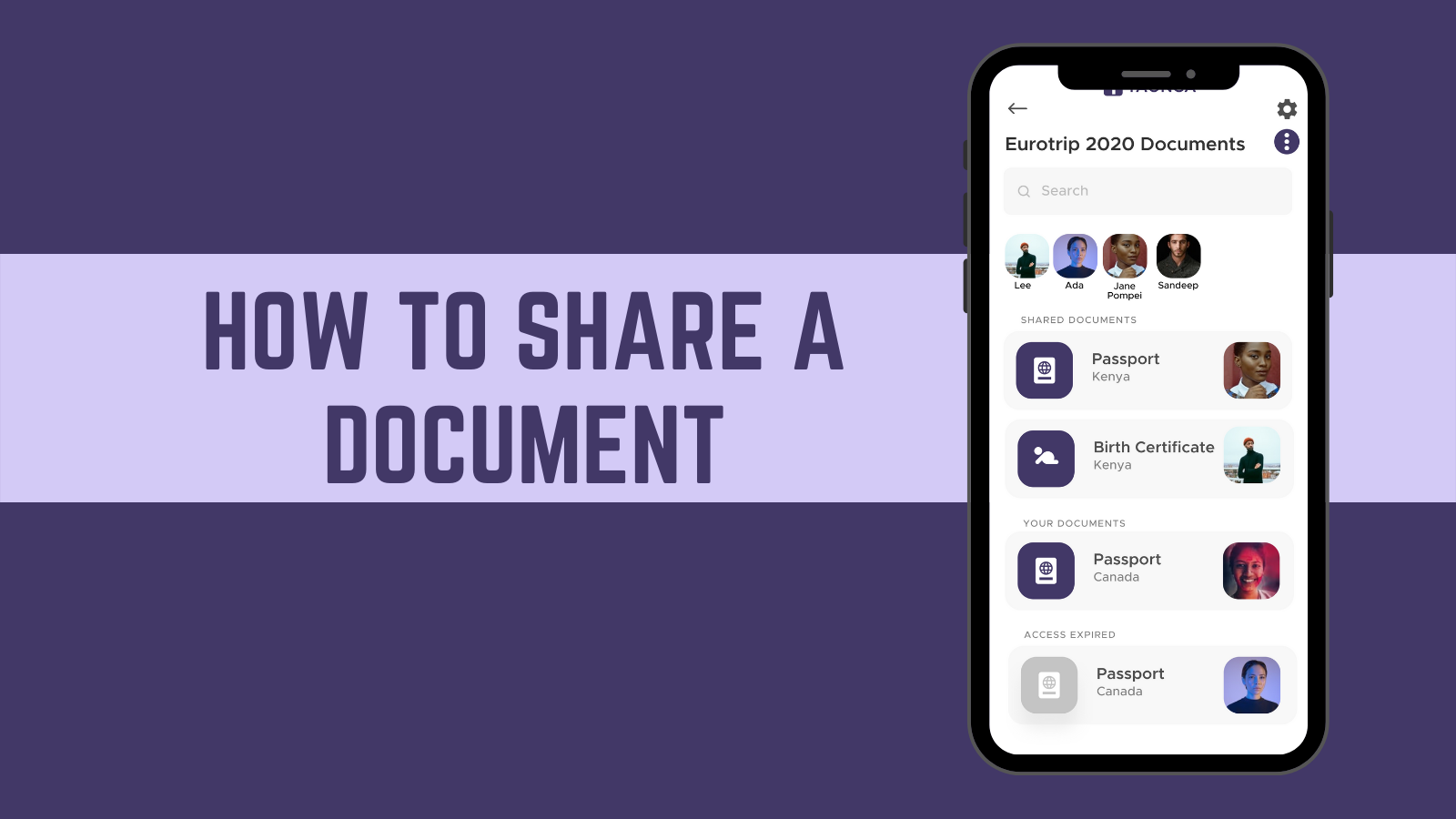
A step by step guide for sharing a document.
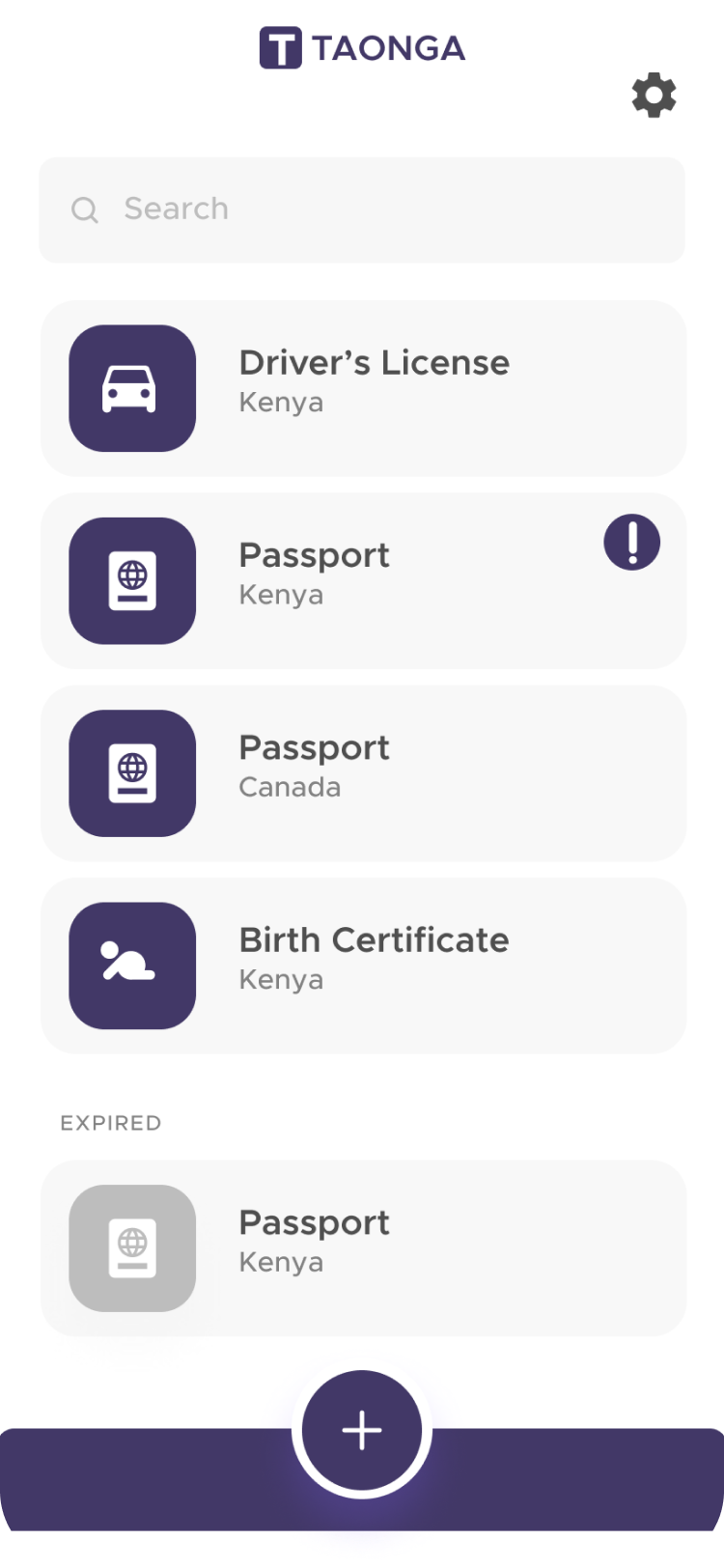
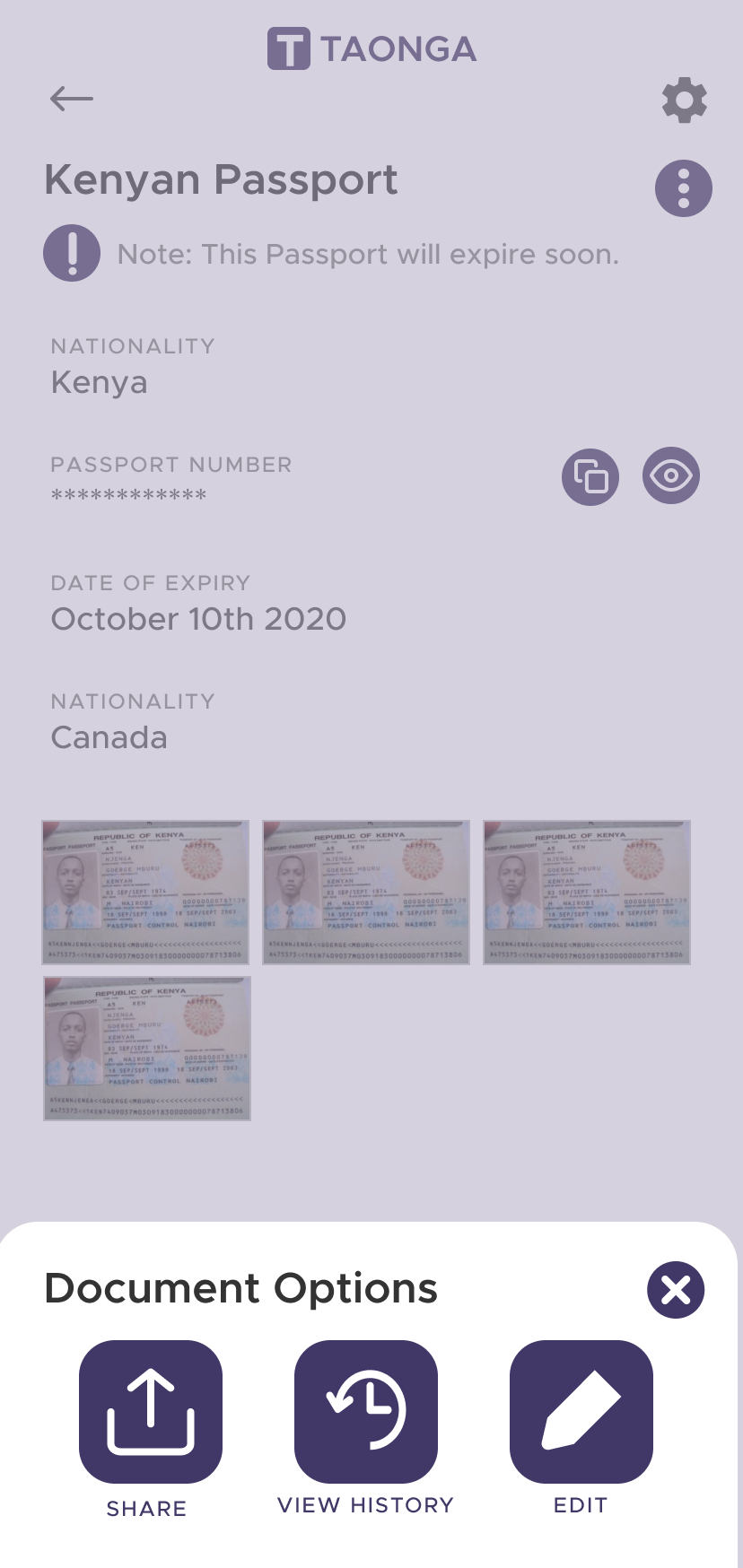
- Select the document you'd like to share
- Tap on the three dots in the top right corner
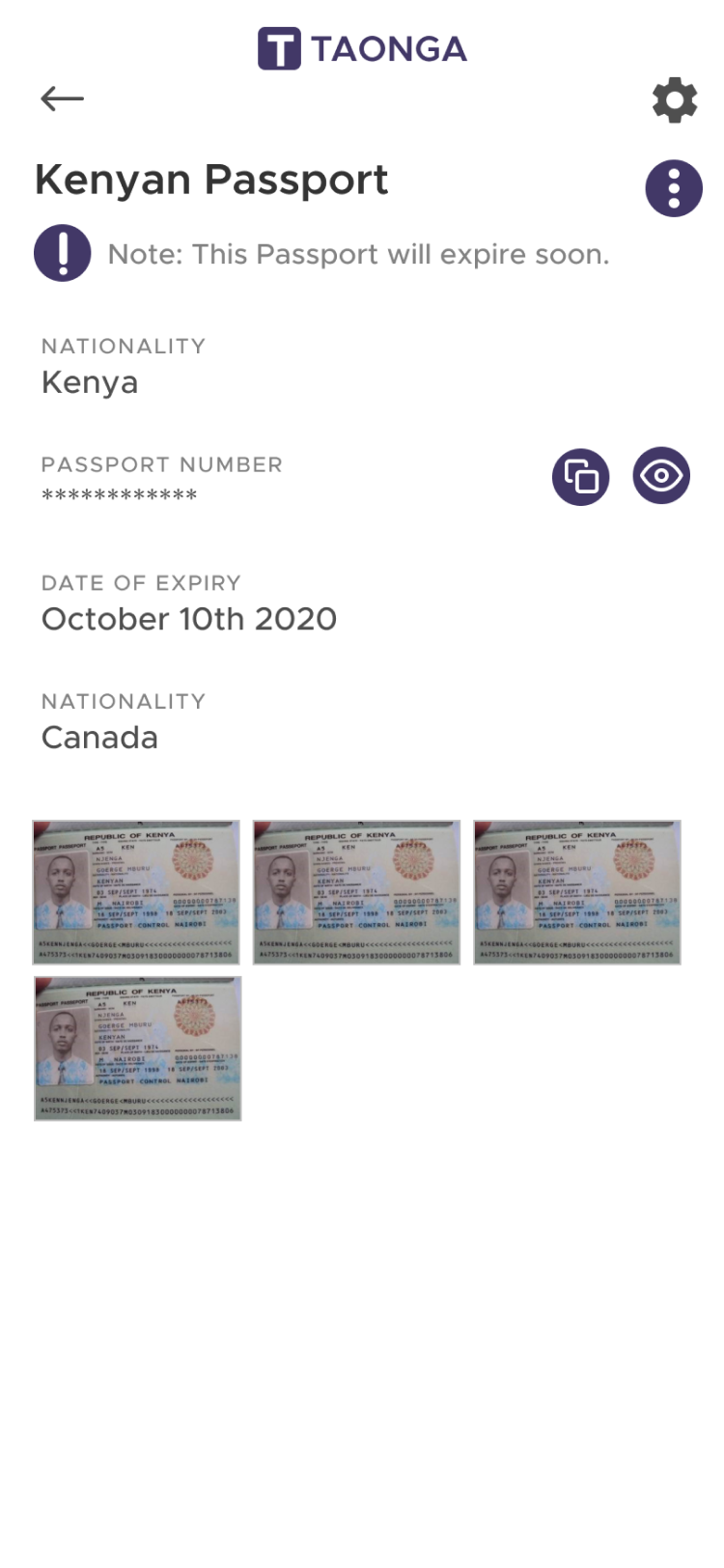
- Click on the share button
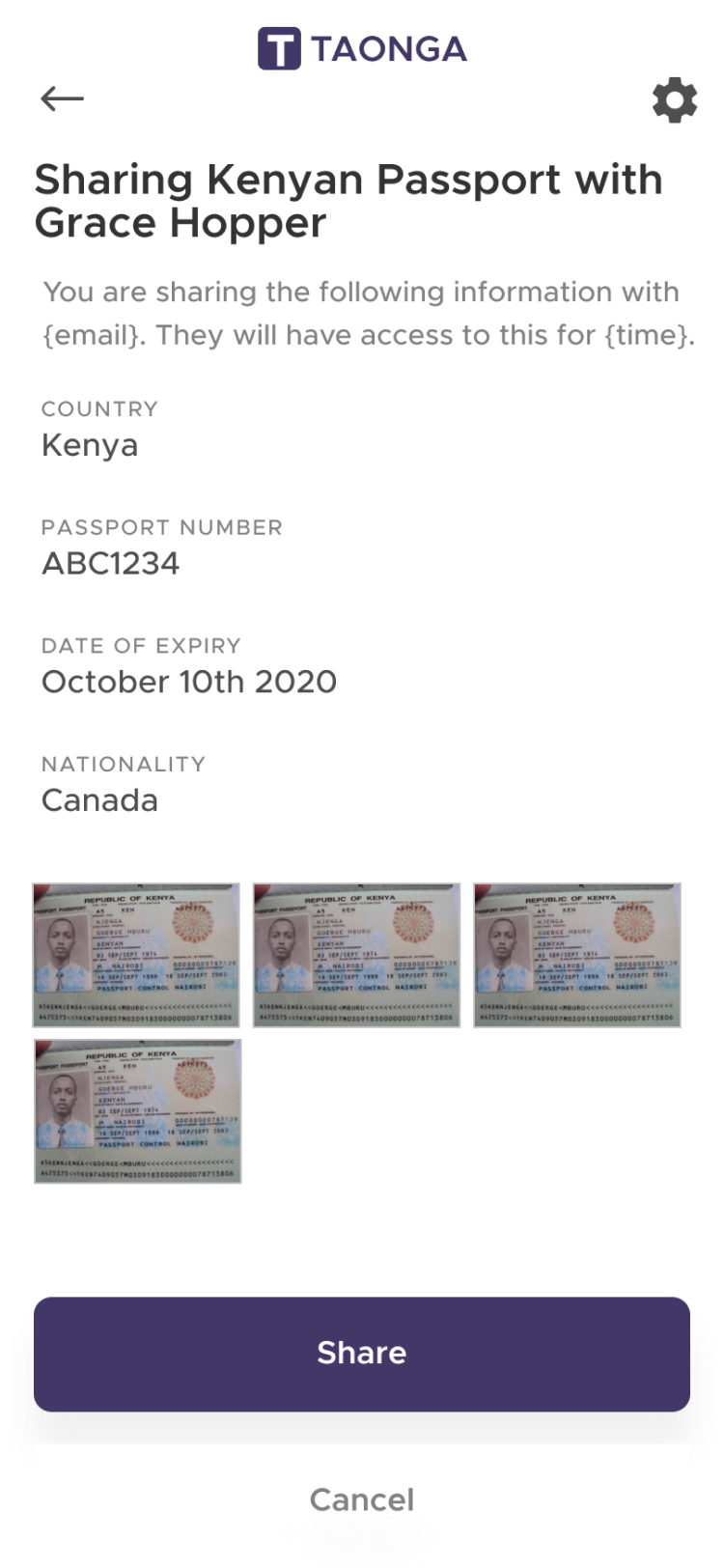
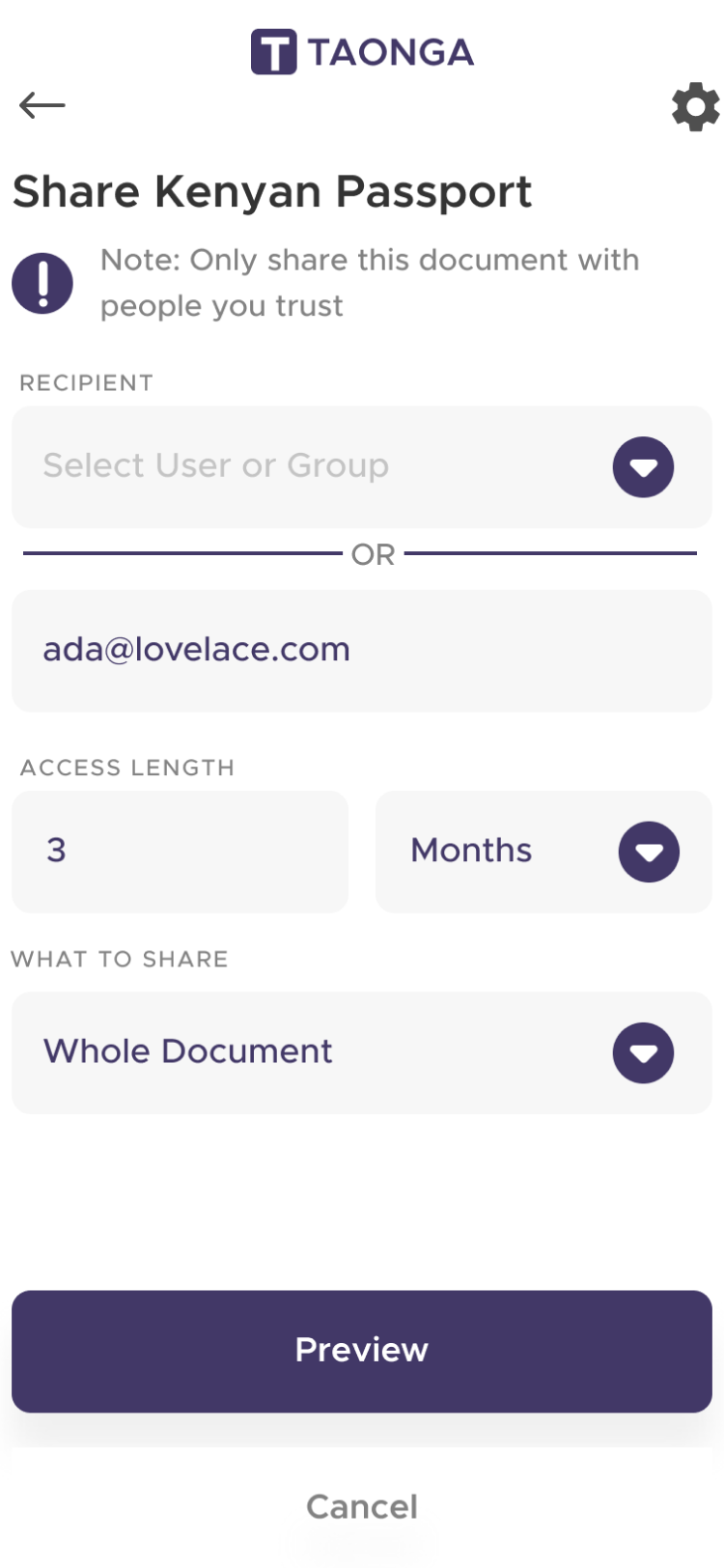
- Enter the information and hit preview
- Review and share your document!